
 1
1
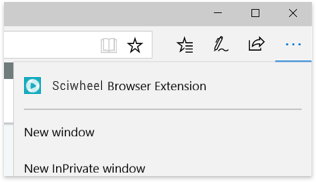
Click the ... icon at the top right corner of your browser window
 2
2
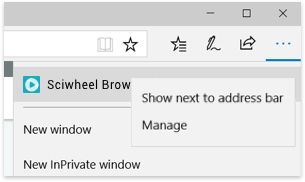
Right-click Lean Library Browser extension and select Show next to address bar
 3
3
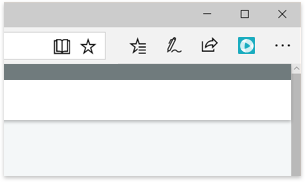
You’re all set! Please close this tab/window and return to Lean Library Workspace